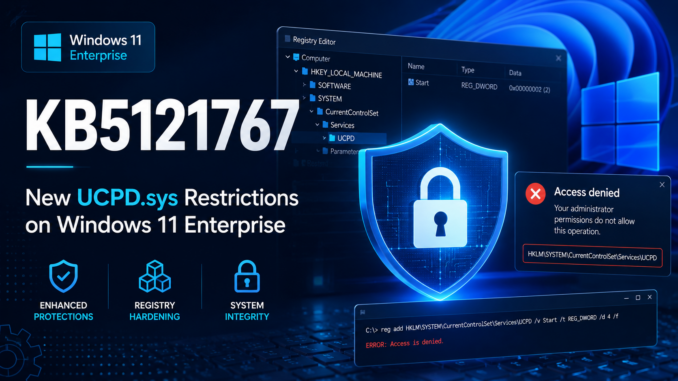
For quite some time, Microsoft did not enable several of the UCPD.sys features described in my previous blog posts on Windows 11 Enterprise. This was likely because consumer editions are more frequently targeted by unwanted configuration changes, while enterprise administrators often modify registry keys and system settings for legitimate management purposes.
With KB5121767, this has now changed. Microsoft has enabled eight additional UCPD.sys features on Windows 11 Enterprise.
@GHaslinger brought this change to my attention after noticing that the EnableFeeds registry value could no longer be modified, even by administrators. Attempts to change it now fail with the following error:
ERROR: Access is denied.
The registry key in question is:
SOFTWARE\Policies\Microsoft\Windows\Windows Feeds
EnableFeeds
I listed this registry key in my previous blog post about UCPD.sys, but until now it was actively protected only on Windows 11 Home and Pro.
After setting up a fresh Windows 11 Enterprise 25H2 virtual machine and installing KB5121767, I was able to confirm that the corresponding UCPD.sys feature had been activated.
This registry key cannot be modified by a standard user, which makes Microsoft’s decision even more questionable, and is typically configured by system administrators in managed environments. Because UCPD.sys generally allows Microsoft-signed binaries to modify protected registry keys, this change should not normally cause any issues. However, UCPD.sys also maintains a denylist, and many common management utilities are included on it. The current denylist is shown below:
reg.exe
rundll32.exe
powershell.exe
regedit.exe
wscript.exe
cscript.exe
cmd.exe
InfDefaultInstall.exe
pwsh.exe
dllhost.exe
wmiprvse.exe
regini.exe
On consumer editions, this blocklist can be extended by dynamic rules and may therefore contain additional entries.
If an administrator now attempts to modify the EnableFeeds value using reg.exe, the operation is blocked by UCPD.sys.
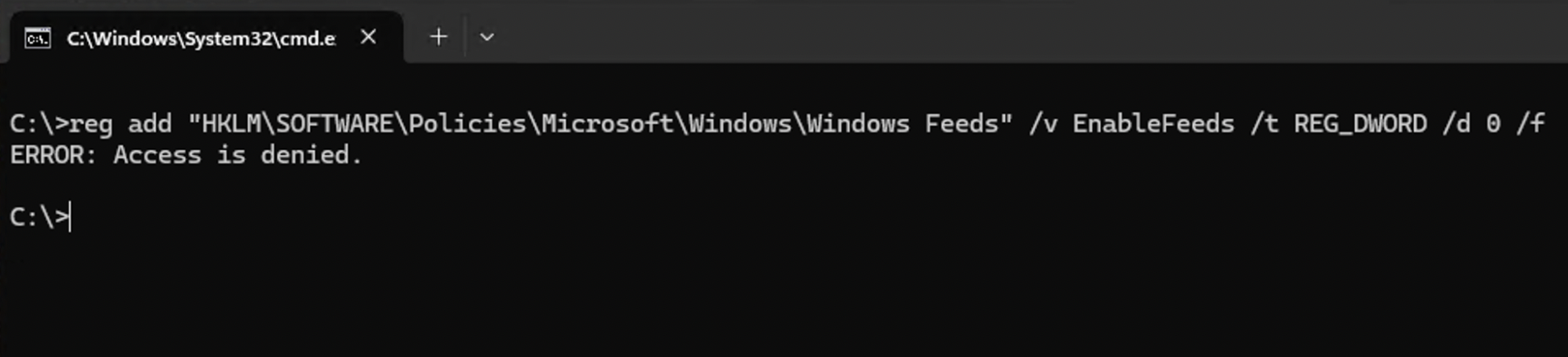
This example demonstrates only one of the newly enabled features. The full list of UCPD.sys features now activated on Windows 11 Enterprise is shown below.
Windows 11 Enterprise 24H2 is also affected. However, on my 24H2 test VM, the features were not activated immediately after installing the update – they appeared only after some time. On Windows 11 Enterprise 25H2, the changes were visible immediately after installing KB5121767.
Copilot Hardware Key
Software\Microsoft\Windows\Shell\BrandedKey
Value: BrandedKeyChoiceType
This registry key can no longer be modified or deleted. It controls how the physical Copilot key on the keyboard is mapped to specific functions.
EnableFeeds
SOFTWARE\Policies\Microsoft\Windows\Windows Feeds
Value: EnableFeeds
This value can no longer be modified by third-party tools or by Microsoft binaries included on the deny list.
UCPD.sys self protection
Protects values under SYSTEM\CurrentControlSet\Services\UCPD that could otherwise be changed to alter the behavior of UCPD.sys. I already covered this protection in my previous blog post.
Region-Specific UCPD.sys Behavior
I prefer not to publish details about how UCPD.sys implements this behavior. However, the driver contains region-specific functionality, and Microsoft is extending it by enabling additional related features. This is unlikely to affect most installations.
regini.exe
Modifies the registry from the command line or a script, and applies changes that were preset in one or more text files. You can create, modify, or delete registry keys, in addition to modifying the permissions on the registry keys.
For a long time, regini.exe was not included on the deny list, and I also used it in SetUserFTA to bypass UCPD.sys. It has been blocked on consumer editions of Windows for some time, and Microsoft now blocks it on Enterprise editions as well.

Reference: https://learn.microsoft.com/en-us/windows-server/administration/windows-commands/regini
Backtrace Enhancements
As already described in this blog post by Xusheng Li, UCPD.sys includes a backtrace function that checks modules in the call stack against their digital signatures. Two additional features related to this mechanism have now been enabled.
If the signature check does not return a publisher name for a module, the operation is now denied. Another feature introduces a different execution path and additional telemetry within the backtrace function.
I have not yet observed this backtrace functionality being active on any of my test systems. I therefore suspect that it is enabled only in specific regions or environments.
What does this mean for Administrators?
If administrators use scripts to configure the EnableFeeds or Copilot registry values, those changes may now be denied. The same applies to attempts to modify protected registry keys through regini.exe.
However, these settings can still be configured through Group Policy, as GPO-based changes are not blocked by UCPD.sys.
The remaining features are unlikely to affect general system administration. Some of them also depend on other UCPD.sys features, such as the backtrace functionality.
In my opinion, the bigger issue is that Microsoft is silently introducing additional restrictions in Windows Enterprise without documenting or announcing them. As a result, legitimate administrative operations may suddenly be blocked without any clear explanation.
UCPD.sys provides several protections, and some of them exist for valid security reasons. Disabling the driver entirely would therefore reduce the security of a Windows installation. At the same time, however, these protections can interfere with legitimate user and administrator actions.
At present, individual features can still be disabled using ViVeTool, although this requires administrative privileges and a restart. I will not publish all of the relevant feature IDs, but the ID for the Copilot key protection is 57500144, while the ID for the EnableFeeds protection is 54870449.
This workaround may not continue to work indefinitely. Microsoft has already integrated some previously separate features into the base protection after they were rolled out globally.
Leave a Reply
You must be logged in to post a comment.