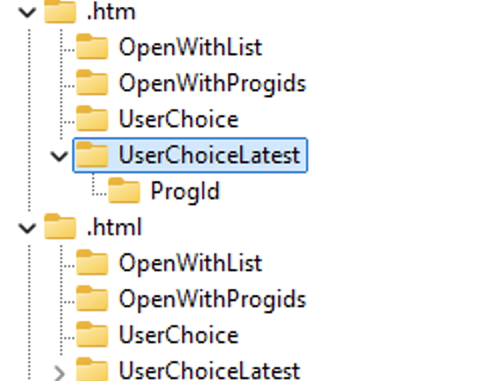
When I wrote the article about UCPD.sys, I had already noticed the references to the UserChoiceLatest registry key, and in earlier versions, even to UserChoicePrevious. These keys are clearly also protected by UCPD.sys, but I never really investigated their purpose. I had never seen these registry keys on any machine and assumed they might be related to a less common use case or something similar. In hindsight, I should have been more perceptive – Windows is a feature-driven operating system, and Microsoft frequently adds and removes features. The code for UserChoiceLatest has clearly been present for quite some time – and I simply missed it.
A Quick Primer on A/B Testing
A/B testing is a method of comparing two versions of a feature – Version A (the control) and Version B (with changes) – to see which performs better. Microsoft uses this approach to gradually roll out new features across different user segments. Metrics like engagement, performance, or reliability are collected through telemetry to evaluate the impact before a broader release.
Importantly, participation in A/B testing is not optional – users are randomly placed into test groups without a way to opt out. This means that two machines running the same Windows version and build can behave differently, depending on whether a particular feature has been silently enabled for that user.
This is exactly what happened last year when users began reporting issues with SetUserFTA – Microsoft had started A/B testing with UCPD.sys, and it now appears that the same applies to UserChoiceLatest as well.
The initial discovery of UserChoiceLatest
Last week, I received a report (actually it was the second one, but the first one remained unsolved) about a file type association being ignored, even though a valid UserChoice hash was present (thanks @mjthinkscape). At first, I suspected an issue with the ProgId, but when the user manually created the association, we observed the following in the registry:
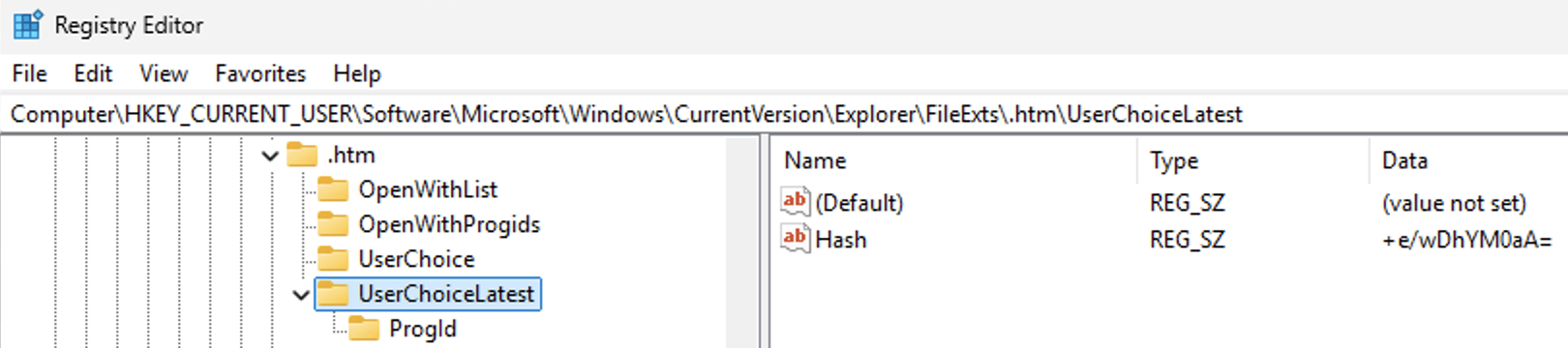
[HKCU\Software\Microsoft\Windows\CurrentVersion\Explorer\FileExts\.docx\UserChoiceLatest]
“Hash”=”1xZShZRatSi=”
I immediately recognized this key from UCPD.sys and began analyzing some Windows binaries – and what I found felt like a facepalm moment.
Turns out that Microsoft introduced a new feature that does the following:
- Enumerates all existing UserChoice hashes and checks if they are valid
- Creates a new key UserChoiceLatest and UserChoiceLatest\ProgId
- Writes the ProgId from the current association to UserChoiceLatest\ProgId\ProgId (not a typo)
- Calculates a new hash for the ProgId and writes it under UserChoiceLatest\Hash
When this migration is completed, it sets the value HashVersion to 1 under the key:
HKLM\SOFTWARE\Microsoft\Windows\CurrentVersion\SystemProtectedUserData\<SID>\AnyoneRead\AppDefaults
With this value set, Windows ignores the UserChoice keys and only accepts UserChoiceLatest. This effectively renders all third-party utilities that correctly set the UserChoice hash – including SetUserFTA – useless.
You can set HashVersion to 0 (as SYSTEM or by taking ownership), and Windows will trigger another migration after the next reboot.
Note: the “old” UserChoice key is not deleted, as Windows can migrate the associations back if the feature is later disabled. Microsoft had apparently planned to use UserChoicePrevious for this purpose, but seems to have abandoned that approach – this key is no longer present in UCPD.sys or other Windows binaries.
Because of the migration feature, I probably didn’t receive more reports. Existing file type associations continue to work even after the feature is enabled – it only affects new associations created afterward.
Feature details:
From the reversed Windows binaries, I was able to identify which feature enables this behavior. It is:
AppDefaultHashRotation – Feature ID: 43229420
We can query, enable, or disable experimental Windows features using ViveTool or StagingTool (a leaked internal Microsoft tool). When we queried this feature ID on the affected machine, it was indeed shown as enabled:

But when I tried to enable this feature on my machine, nothing happened. I suspected that another feature might also be involved, so I spent more time reversing the Windows binaries. Eventually, I found the code responsible for migrating the UserChoice hashes – and there, another feature was indeed referenced:
AppDefaultHashRotationUpdateHashes – Feature ID: 27623730
This feature also was enabled on the affected machine:
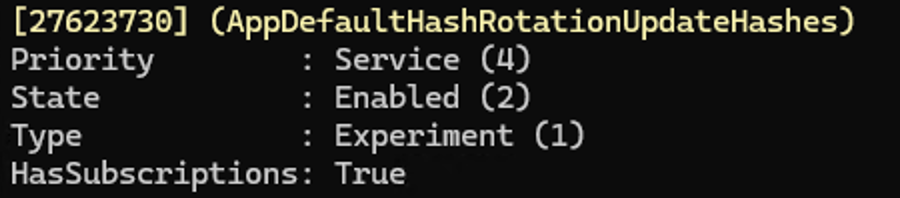
After enabling this feature as well and rebooting my machine, the UserChoiceLatest registry keys finally appeared. One feature seems to enable the migration of existing UserChoice settings, while the other activates the new hash format.
And here comes the bad (or expected) news: the hashing algorithm has changed and is no longer compatible with the old UserChoice hashes.
The new hash
I won’t go into technical details (and I will never publish them publicly), but there’s something quite remarkable about the new hash: it now includes a machine ID. This means file type associations can no longer be roamed to other machines.
Previously, roaming the entire NTUSER.DAT preserved the necessary timestamps and user details, allowing file type associations to function even on a different system.
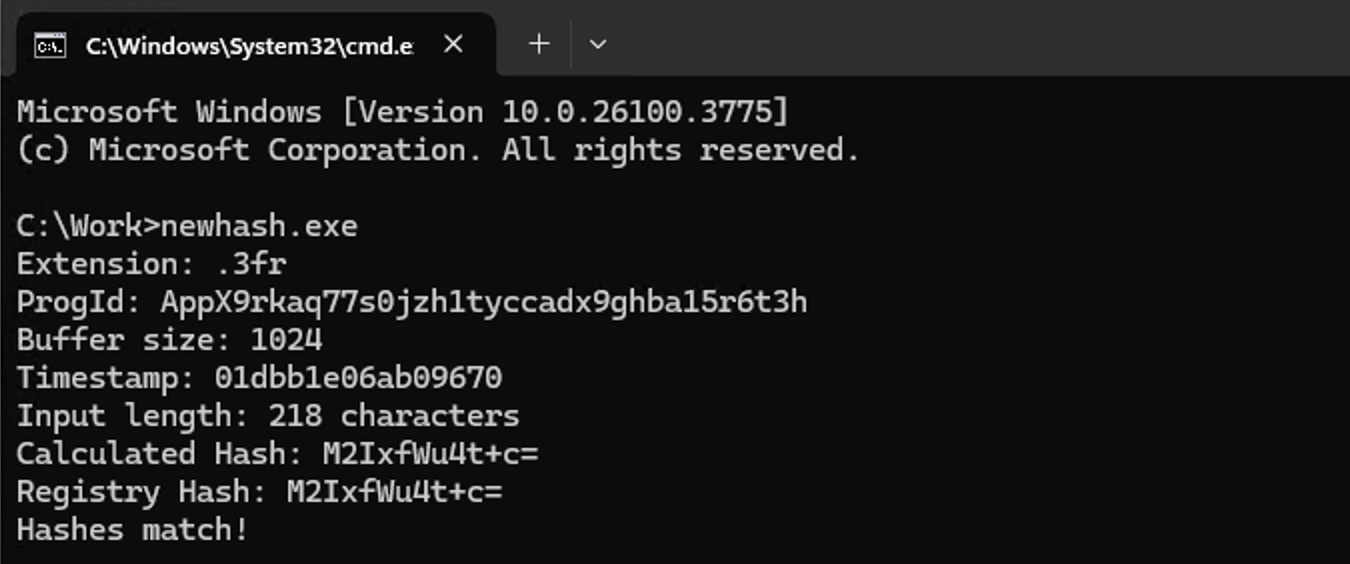
Aside from that, the new hash is calculated in a way that’s somewhat similar to the current one. It includes the user ID, a timestamp, association details, and now the machine ID. While the algorithm itself is new and somewhat unconventional, I was able to reverse and reimplement it for SetUserFTA already:
TL/DR
Microsoft is testing a new protection mechanism for file type associations that uses the UserChoiceLatest key instead of the traditional UserChoice key. Windows 10 does not include this feature and most likely never will. So far, it appears to be exclusive to Windows 11 consumer editions (Pro or Home), based on the reports I’ve received.
You can enable this features (AppDefaultHashRotation and AppDefaultHashRotationUpdateHashes) using ViveTool with the following commands (just use /disable if you want to revert or disable the feature):
ViveTool.exe /enable /id:43229420
ViveTool.exe /enable /id:27623730
The hash uses a new calculation method, is not compatible with the old format, and now includes a machine ID.
Microsoft can still revert this change, as the code for backward migration is present. The protections enforced by UCPD.sys also apply to the new keys and block third-party utilities from modifying associations for http, https, .pdf, and a few other specific file types.
It is currently unknown whether Microsoft will apply this new protection method to Enterprise editions. In my opinion, that would be quite a radical move, as it would break file type association roaming in VDI environments that use FSLogix or Citrix UPM.
But it’s clear that Microsoft wants to move forward and introduce a new mechanism. Why? The old hash has been in use for many years and has been implemented in multiple products. Based on what I see in the UCPD.sys blocking and tracing logic, it’s also being used by companies that don’t necessarily have good intentions.
Time will tell – but for now, SetUserFTA continues to work under the current conditions and already supports the new hash format.
Will personal version get any update to at least work with UserChoiceLatest?
Most likely not. However, you can disable these features using ViveTool, and everything should function normally again. I don’t see any issue with doing this in personal environments.